
.png)
.png)
Summary
What it is: Paraplex is a browser-based 3D motion design studio with an AI assistant that edits real layers and keyframes. Use it for free directly in your browser and get started in seconds.
The glass box: Every assistant turn is a preview you Apply or Discard. It works with 140 of the same tools you use, checks its own frames, and can plan a storyboard before it builds.
The look: Real glass, chrome, light and 3D type, in an editor that works like a flat design tool until you want depth.
One scene, every format: Reframe a single scene for 16:9, 9:16, 1:1 and 4:5, then export video, transparent WebM, GIF, Lottie or a live interactive web embed.
Day-one jobs: 62 editable templates, 38 kinetic type presets, CSV-to-chart animation, cursor-driven app demos, narrated explainers with word-by-word captions, and particle logo reveals.
The honest limits: Pieces cap at 60 seconds, real-time multiplayer isn't here yet, and it isn't trying to replace After Effects for pros.
For more than a decade, I've made motion for brands like Circle K, Persil, Kroger, for my own streetwear label, Accendi, and for AI companies trying to explain what their products do. Throughout my career, I kept reaching for the same kind of tool, and it didn't exist.
I wanted something that could make 3D motion that looks expensive (real glass, chrome, lighting, and type with depth) without 20 hours of Blender tutorials and a two-hour render queue. I wanted AI to help me get there faster without handing me a flat video file I couldn't touch. And I wanted one scene to become every asset a launch needs, from a vertical Reel to a live hero section on a website.
So I built it. It's called Paraplex, and today I'm opening it up to everyone.
Above: a launch video for Paraplex itself, made entirely in the Paraplex app - with the final project file being entirely editable across its layers, keyframes, lights and more.
What Paraplex Is
Paraplex is a browser-based 3D motion design studio with an AI assistant that edits real layers and keyframes. You describe what you want, the assistant builds it inside the same editor you use, and every change waits for you to approve it. Then you can fine-tune anything by hand and export the same scene as video in every social format, a transparent overlay, a Lottie file, or a live interactive embed for your website.
There's nothing to install, and I've included a generous free tier with unlimited free 1080p downloads with no watermark. Open app.paraplex.ai in a browser and you're in a full motion design editor: a layers panel, a canvas, a properties panel and a keyframe timeline, laid out same way as anyone who has used Figma will recognize.
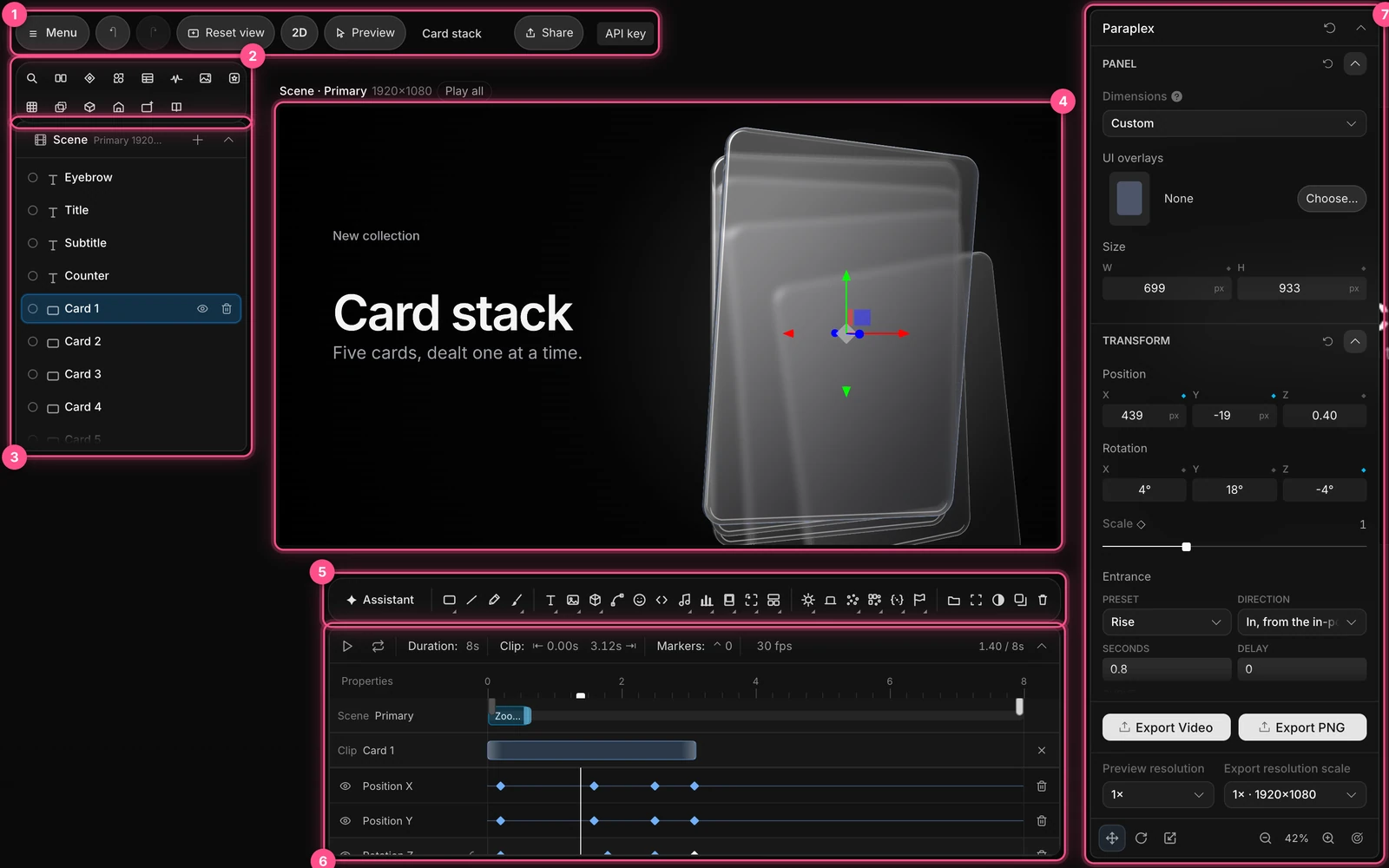
Here's a quick walkthrough of what it looks like in practice.
Why I Built It
I've been writing about AI in marketing since my 2018 honors thesis on the subject. Back then, the question was whether AI would change creative work. That question is settled. The one that matters now is whether the people doing the work stay in control of it.
Most AI design tools I tried in the last two years answered that question badly. You typed a prompt, waited, and got a finished render. If the logo was a few pixels off, or the third word animated in too early, your options were to re-roll the whole thing and hope, or to rebuild it from scratch in a real tool.
Meanwhile, the real tools have a steep learning curve. Cinema 4D and Blender can make anything, but a 2D brand designer who needs a glossy product spin by Friday doesn't have three weeks to learn them. Browser motion tools like Jitter are fast and friendly, but they live in 2D.
I wanted the middle of that map: the look of a 3D render, the learning curve of a design tool, and AI that does the heavy lifting while I keep the final say. I set up Paraplex Digital LLC, started building, and kept going until it was the tool I'd been looking for.
[JAMES: optional 1-2 sentences on what building it solo has been like, in your own words. A specific moment works best, e.g. the first time the assistant built a scene you'd actually ship.]
Most AI Is a Black Box. Paraplex Is a Glass Box.
This is the idea Paraplex is built around, so I'll define it plainly. Glass-box AI is an assistant whose every change is visible, reviewable and reversible, made with the same tools a person uses.
In Paraplex, that means three concrete things.
- It works in your layers. The assistant edits scenes with 140 tools, the same building blocks behind every button in the editor. It adds layers, writes keyframes, sets materials, frames camera moves and builds charts. What it makes is ordinary layers and keyframes, never a flat video.
- You approve every change. Each turn arrives as a preview with an Apply or Discard button. Applied changes undo in a single step.
- It checks its own work. After building, the assistant renders up to six frames and looks at them, checking that nothing is cut off, type is readable and key moments land, then fixes what it finds.

For bigger pieces, Director mode has the assistant write a plan and sketch a storyboard first. Nothing gets built until you sign off on it. You can also hand it a reference (a screenshot, a still, or a video clip you love) and it reads the frames to match the timing. And you can teach it your house style with skills, so it uses your fonts, colors and easing every time.
That's the real difference between Paraplex and a one-prompt video generator. AI drafts it. You fine-tune it. The craft stays yours.
Real 3D That a 2D Designer Can Use
Every Paraplex scene is a real 3D space, with physically based materials, environment lighting, cast shadows and bounce light. But it works like a flat slide until you want depth. Press D for 2D design mode and you get smart guides, an 8-point grid, auto layout and align tools, just like a layout app.
When you do want depth, it's one click away:
- Liquid glass that bends, frosts and tints whatever sits behind it, with ten keyframeable dials
- 3D text with a real bevel in chrome, glass, metal or any other material
- 21 one-click looks, from oak and terracotta to brushed steel and gold
- HDRI lighting, softbox rigs, reflective floors and glass caustics
- A path-traced Studio render mode for frames that look photographed
- Particles, metaballs, physics and imported 3D models (GLB, glTF and Gaussian splats)

I believe this is where Paraplex has the most room to run. Plenty of tools now pair AI with an editable timeline. As of this writing, none of the browser tools I've tested pair that with real materials and light in a video-first editor that a 2D designer can learn in an afternoon.
One Scene, Every Format
A launch never needs just one video. It needs a 16:9 cut for YouTube, a 9:16 cut for Reels and Shorts, a square for LinkedIn, a GIF for the changelog and a hero for the website.
In Paraplex, each format is an artboard next to your main frame. The scene reframes itself for each shape, and you choose how: responsive re-stacking like a web page, scale to fill, fit or fill. You can change one artboard without touching the others, check TikTok and Reels safe zones, then export every format in one go.

From there, the same scene can be exported from Paraplex as:
- MP4 or WebM video, up to 4x resolution of the canvas size
- Transparent WebM or PNG sequences, with shadows kept as transparent background soft alpha, for overlays and compositing
- GIFs, stills, and USDZ files that open in AR on iPhone and Vision Pro
- Lottie files of the scene's flat layers
- A live, interactive web embed that answers hover, click, drag and scroll, with state machines and scroll-driven playback, perfect for embedding as an HTML embed in a Webflow website

As a Webflow designer myself, that last one matters a lot to me. The hero on your site and the launch video on your socials can be the same file instead of two separate projects in two separate tools - and all of it can be fully interactive with the same stunning visuals and attention to detail that I've strived to add in my work over the years.
What You Can Make in Paraplex Today
Paraplex launches with 70+ editable templates in 13 categories, including app promos, brand promos, website hero visuals, logo animations, infographics and retro looks. Every one opens as real project in the Paraplex app with real, fully editable layers, so you swap in your words, logo, colors, data or footage and fine-tune to your heart's content.
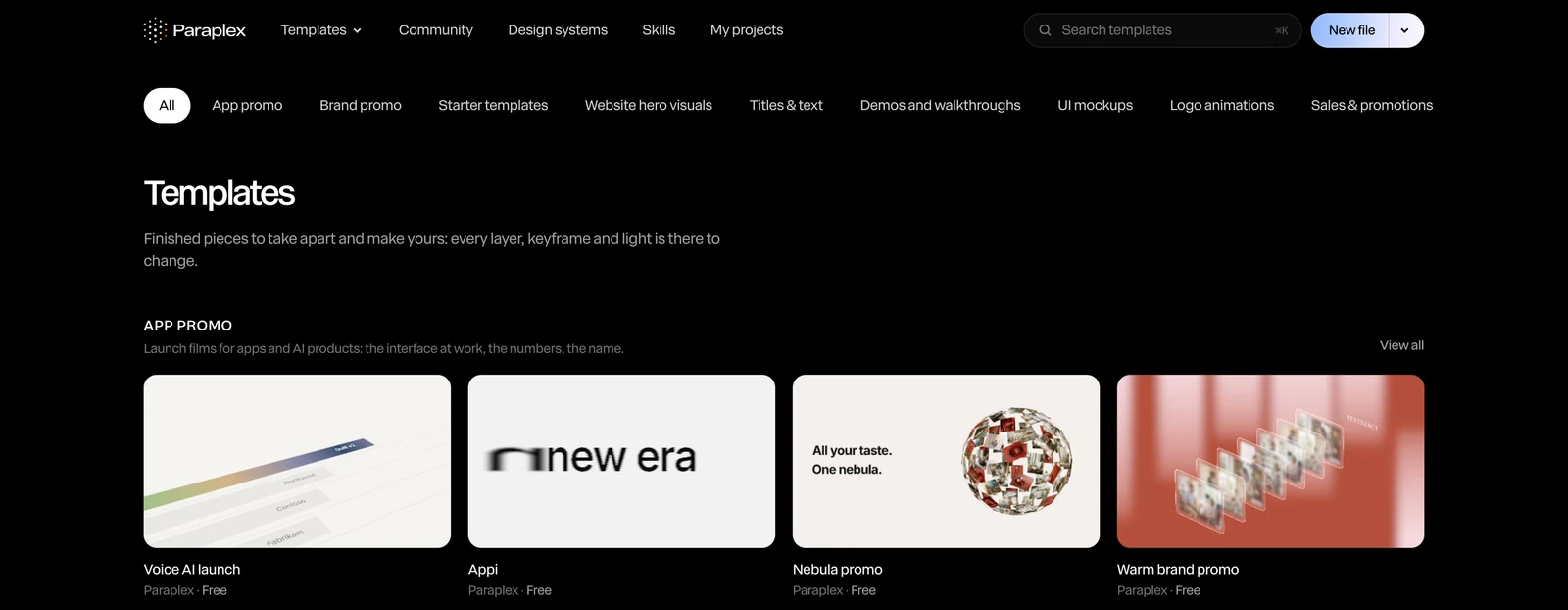
A few of the use cases Paraplex handles particularlly well:
- Product launch and app demo videos. Put your UI on a 3D phone or laptop, then add a cursor that glides, clicks and drags along a path like a real hand, with click sounds included. Smart animate turns two app screens into a transition automatically. "Build Scene from Folder" feature lets you drag and drop a bunch of screenshots into Paraplex, and it automatically builds a stunning, on-brand Launch Video in seconds.
- Kinetic typography. 40+ text animation presets powered by GSAP with Split Text by letter, word, or line, plus typewriter effects, rotating words, and number counter animations that tick up to a stat - with dozens of configurable settings you can play with.
- Data turned into video. Paste a CSV and get an animated chart where every bar and label stays an editable layer. Load a spreadsheet of variants and Paraplex renders one version per row.
- Narrated explainers. Type a script, pick a voice, and get a voiceover with captions timed word by word from the voice itself - powered by Paraplex's native ElevenLabs integration.
- Logo reveals. Drop in an SVG and watch thousands of particles fly together into your mark, or create a looping, expensive-looking liquid metal logo animation using our native integration with Paper shaders and materials.
- Social media content. Long-form YouTube videos in the form of 3D documentaries like Fern and LEMMiNO, or engagement-optimized short-form content for Reels and TikTok with eye-catching animated infographics, custom visuals, and quality narration and 3D assets you can import yourself or generate right in the app using Trippo.
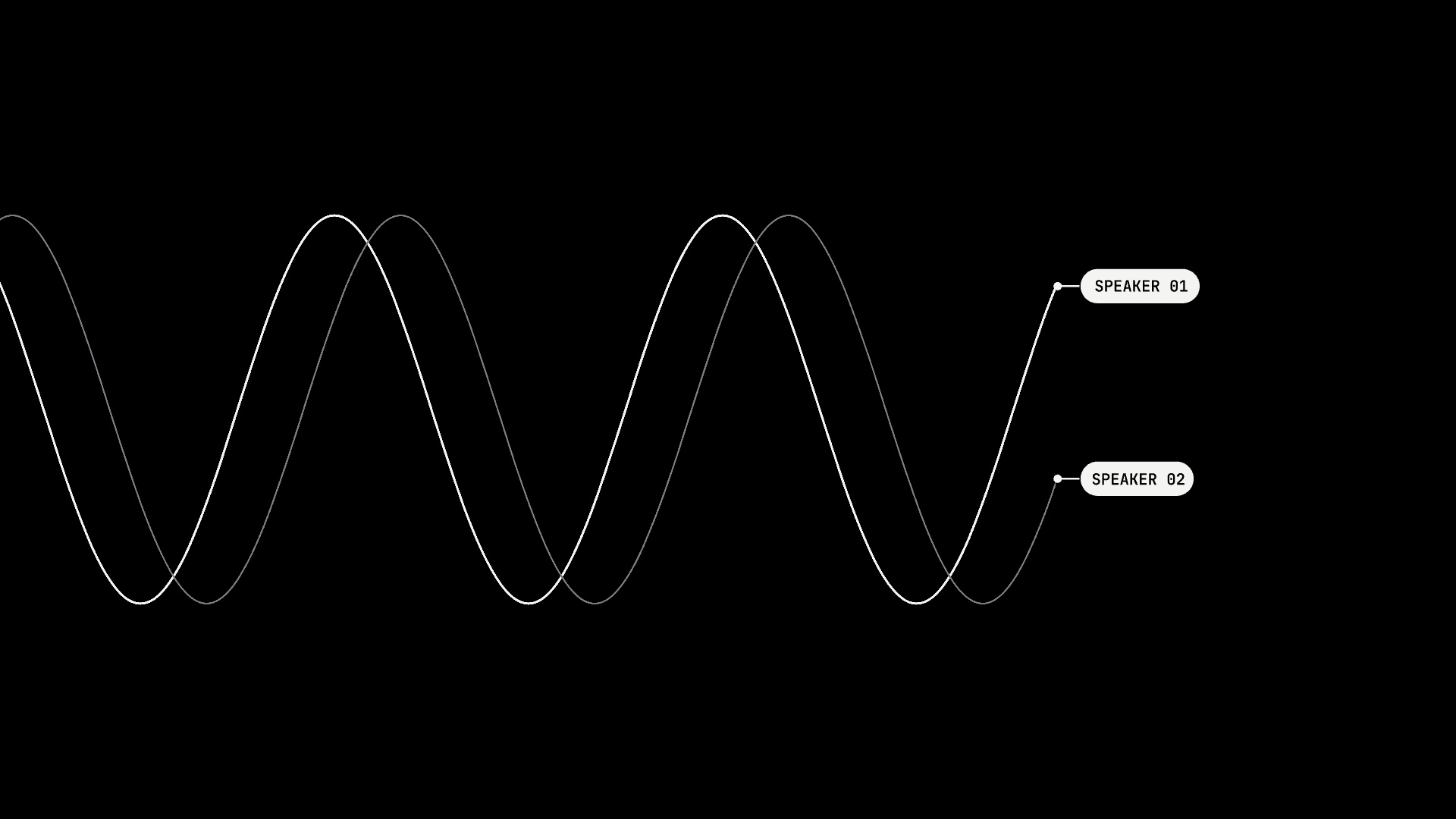
It also plugs into the tools you already use. We built a Figma plugin (Send to Paraplex) that brings Figma frames into the Paraplex app as native, editable layers. Native Lottie file support allows for importing Lottie as real shapes and keyframes. And (my personal favorite) code layers let you paste HTML, React or GSAP into the timeline and render it to video, frame for frame - so you can copy and paste incredible interactive visuals from 21st.dev, React Bits, and any of your existing projects - and preview and edit them natively with Paraplex's visual editor. The Paraplex app automatically detects all parameters and attributes in the code, and then adds a visual UI around them so you can adjust the speed of an animation, increase the number of particles, and any number of other settings simply by dragging a slider or entering values like any other visual-based website builder like Webflow or Framer.
Who Paraplex Is For
I built Paraplex primarily forthree groups of people:
Brand and product designers who live in Figma and want depth, light and motion without learning a complicated 3D software suite. You get auto layout just like in Figma, reusable components, design tokens and light/dark themes in a tool that renders real glass. If you've been thinking about making your brand AI-ready with design tokens, Paraplex can import those tokens and apply your whole design system to any template.
Founders and marketers who need launch assets that look designed rather than generated. Describe the video, approve the changes, and export it for X, LinkedIn, your site and your deck at once, with your real logo and exact colors in every frame.
Developers building motion with code and coding agents. Paste your components into a design timeline, render them frame-exact, and finish them with materials and light that are hard to write by hand - Paraplex serves as an agentic AI motion design app with a visual editor interface. 3D motion design for the AI era, capable of making stunning videos and animations programmatically like HyperFrames and Remotion, but with much more robust 3D capabilities.
What Paraplex Isn't (Yet)
I'd rather tell you the limits now than have you find out the hard way on a deadline.
Paraplex is not trying to replace After Effects or Cinema 4D for professional motion designers. Those tools have decades of depth and plugins behind them, and pros will keep using them. Paraplex is for everyone who needs great motion and doesn't have weeks to learn those tools.
Pieces currently cap at 60 seconds, which covers most launch videos, social posts and website heroes but not long-form content. Real-time multiplayer editing isn't here yet either. Today you can share editable copies, review links and feedback threads, and team workspaces are high on the list.
If something breaks or feels wrong, I want to hear about it. I'm building this in the open, and early feedback can the roadmap more than anything else.
Build with Paraplex Today for Free
The fastest way to get started is to open app.paraplex.ai and type a sentence prompt into the AI assistant on the home page, something like "three cards fan out, then a price counts up." Paraplex opens a new file, the assistant builds the scene, and you decide whether to keep it.
A few other good starting points:
- Browse the template gallery and open one that matches your next project
- Try the free Liquid Glass generator or the CSV to chart video tool
- Read the Help Center for walkthroughs of every panel and feature
- See the full feature list
If you're curious about where this fits in my broader work on pragmatic AI for creative teams, I wrote about that in why I'm doubling down on AI marketing. And if you make something in Paraplex, send it my way. I'd love to see it. Share your Paraplex creations on social media, and tag us @paraplexapp on every social platform (Instagram, Twitter/X, YouTube, LinkedIn).
Frequently Asked Questions
What is Paraplex?
Paraplex is a browser-based 3D motion design studio with an AI assistant that builds and edits scenes as real layers and keyframes. People use it to make launch videos, social posts, animated charts, logo reveals, website heroes and interactive web embeds.
Do I need to install anything to use Paraplex?
No. Paraplex runs entirely in a web browser at app.paraplex.ai, and it saves your work as you go.
How much does Paraplex cost?
Paraplex has a generous free tier which includes 50 AI credits, unlimited free 1080p downloads with no watermark, and access to 70+ high-quality video and motion graphic templates. For professionals, Paraplex has a Pro tier which includes 1500 AI credits monthly, batch-exports with 4K 60fps support, access to ALL paid premium templates, and priority customer support access. Paraplex's Pro tier starts at $19/mo annually, or $24/mo paid monthly. Learn more about Paraplex pricing here.
Can I edit what the Paraplex AI assistant makes?
Yes. The assistant works with the same layers, keyframes and settings you use, and every change arrives as a preview you can apply or discard. Anything it builds can be fine-tuned by hand afterwards. Paraplex's built-in AI assistant is a glass box that shows its work every step of the way, outputting real editable layers, keyframes, lighting, effects, attributes, and much more. Learn more about AI Motion Design here, and learn more about Paraplex's AI assistant here.
What formats can Paraplex export?
Paraplex exports MP4 and WebM video, transparent WebM with an alpha channel, GIFs, PNG and JPG stills, PNG sequences, Lottie files of flat layers, USDZ files for AR, and live interactive web embeds. One scene can be reframed for 16:9, 9:16, 1:1, 4:5 and custom sizes. With Paraplex's Dynamic Artboards, you can create a scene once, and then add responsive artboards that automatically reshape, reformat, and adjust your scenes for any screen size and every aspect ratio - just like a responsive webpage would.
How is Paraplex different from Jitter, Spline or After Effects?
Jitter is a fast 2D motion tool, Spline focuses on interactive 3D for websites, and After Effects is a professional desktop standard with a steep learning curve. Paraplex combines real 3D materials and lighting with a video-first timeline, a 2D design-tool layout and an AI assistant whose changes you review one by one. Head here for more info on Jitter alternatives and more in-depth comparisons of Paraplex compares to other 3D motion design, animation, agentic AI apps for video editing, and more.
Who made Paraplex?
Paraplex was created by James Cannella, a Phoenix-based designer and creative director, and is built by his company, Paraplex Digital LLC.